🔑 Renting, members and upgrades
Players open a unit's window at the unit, with the key prompt (E by default) or your target or interact system (Interaction). What they see depends on who they are:
- A free unit offers Rent for $… or Buy for $…. Each unit is either for rent or for sale, never both.
- Someone else's unit asks for the password. In Members mode it says only the owner and their members can open it.
- The owner and members get the unit window.
/mystorages lists every unit the player owns or is a member of, so they can manage them from anywhere. The phone app does the same on lb-phone and YSeries. Opening the stash still needs them at the unit.
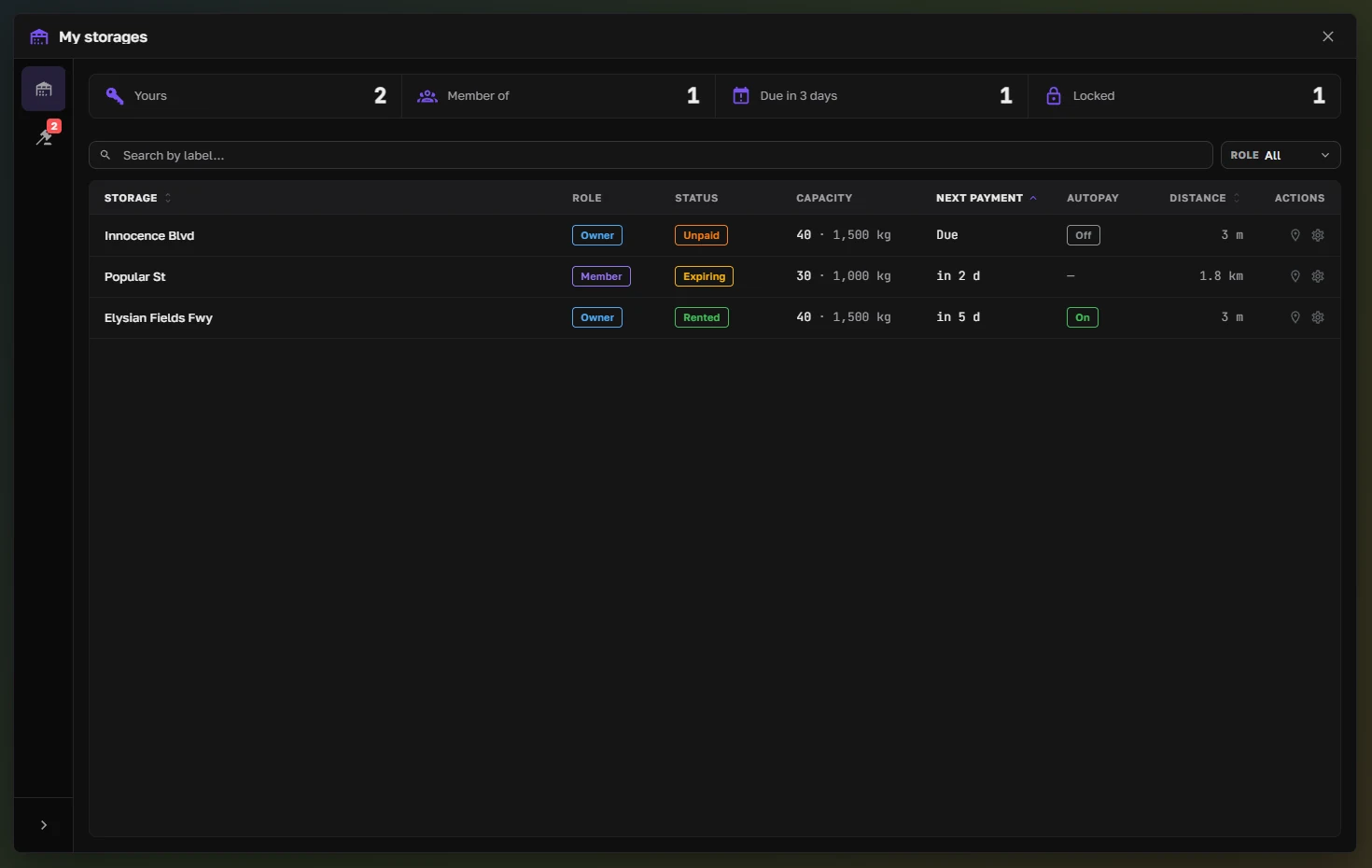
/mystorages
Renting and buying
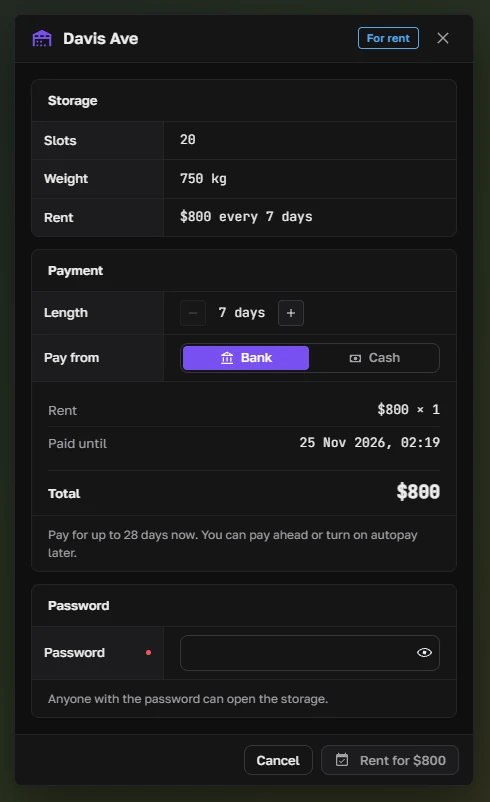
Renting a unit
- Rent: pay for one or more periods up front, from any account allowed in Settings → Rent and payments → Pay from. The most is Periods at once (4 by default), and never more than reaches the Pay ahead limit (60 days by default). With 30-day periods, that is 2.
- Buy: paid once. The unit stays the player's until they give it away or staff remove them.
With Storages per player set (Settings → Rent and payments, off by default), a player who already owns that many units can't rent or buy another, or be given one.
In Password mode the player sets the password while renting. The money goes to the society when Pay the society is on.
The unit window
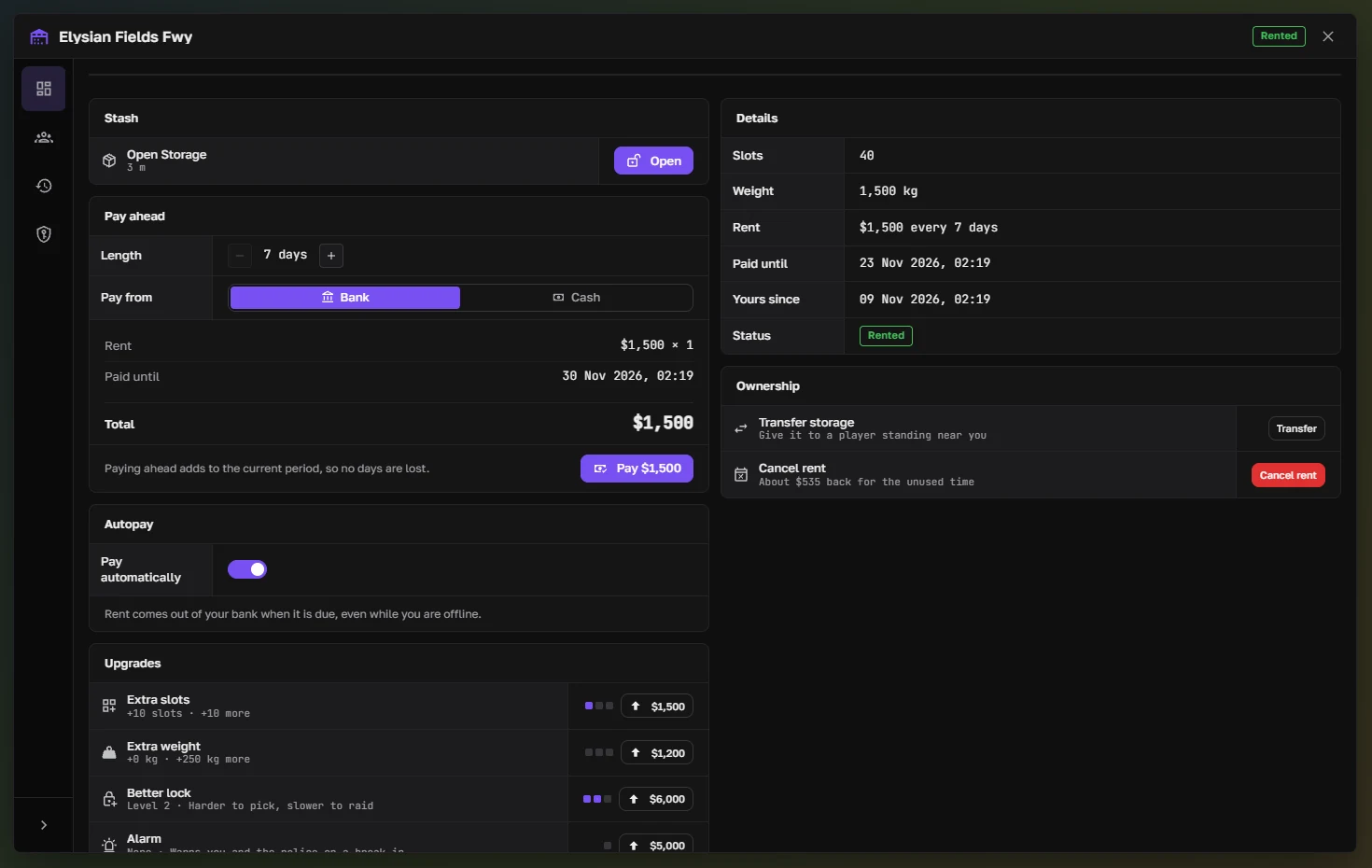
The owner's view
Paying rent
- Pay ahead adds to the current period, so no days are lost.
- Pay automatically (autopay) charges the rent when it is due, even while the player is offline. It charges the account in Settings → Rent and payments → Autopay from (the bank by default), one period at a time, Charge early by days before the rent runs out. Only the owner can turn it on or off.
- With autopay off, players pay by hand.
When rent isn't paid
- 1
- 2
The grace period ends
One of three things happens:
- The unit has items inside and auctions are on: it goes to auction.
- Free expired storages is on: the unit is emptied and put back on the market.
- Otherwise the unit locks and shows Unpaid.
- 3
A lock put on by staff or police is different: paying doesn't lift it. See Locked.
Transfer and cancel
- Transfer gives the unit to a player standing nearby. It can be turned off in Settings → Access and staff → Transfers. Once they accept (and set a new password in Password mode), it is theirs. Members and the access log are cleared; items, paid days and upgrades stay with the unit.
- Cancel rent empties the unit, resets its upgrades and puts it back on the market. With Cancel refund above 0, part of the unused rent comes back, into the Autopay from account. When the society was paid, the refund is taken back from the society; if the banking resource can't do that, there is no refund. Cancel isn't possible while the unit is locked, or for 15 minutes after a police raid.
Members
In Members and Both modes (Settings → Access and staff → Who can open), the owner and members with Manage can add nearby players as members, up to Members per storage (8 by default).
Members can always open the stash. Rights are enforced while the stash is open: a member who is removed or loses a right stops moving items at once. Members can Leave storage on their own.
Passwords
In Password and Both modes, anyone with the password opens the stash with full access.
Wrong guesses are limited: 5 wrong passwords within a minute lock the player out of every unit for a minute, and every 3 wrong passwords on the same unit lock them out of that unit, for 30 seconds the first time, doubling each time up to 30 minutes.
Upgrades
Owners and members with Manage buy upgrades in the Overview tab. They work on rented and bought units.
Turn all upgrades off with Sell upgrades, or one upgrade off with its For sale switch, in Settings → Upgrades. That only stops them being sold: units that already have an upgrade keep it, and it keeps working.
Change the steps and prices in Settings → Upgrades. Extra slots and extra weight can have 1 to 10 levels: add or remove prices to change the number. Better lock always has three.
Upgrades stay with the unit when it is transferred. They are removed when the unit is emptied: cancelled, auctioned, freed after expiry, or when staff remove the renter with Clear on removal on.