🧱 Shell Creator
Build your own shells in-game, then use them like any other interior. Open it from /properties → Shell Creator. Staff need the shell_creator permission.
Library
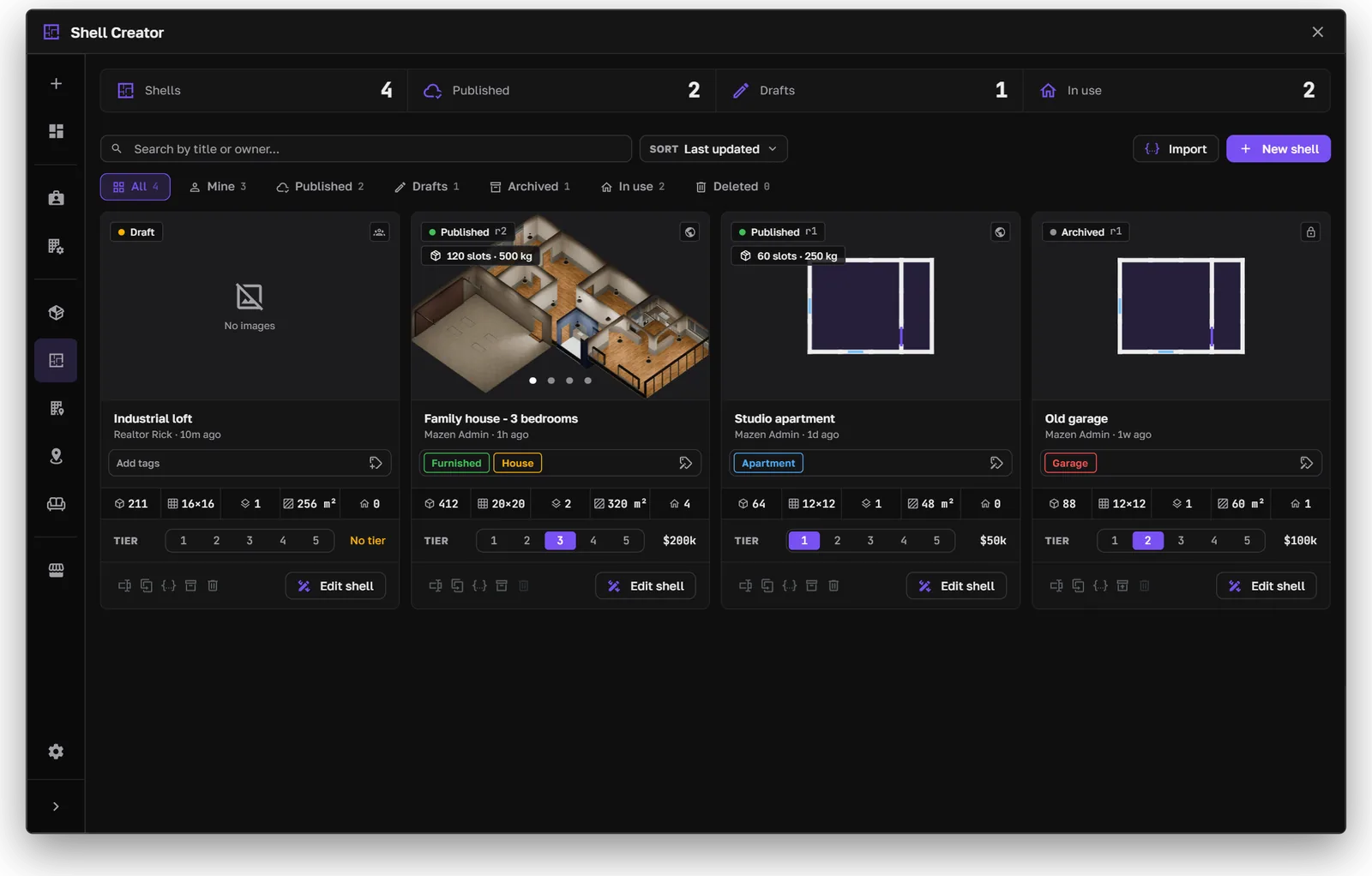
The shell library
The library lists every shell: drafts, published, archived, and in use. For each shell you can:
- Set its tier and price, and its tags.
- Edit it in the builder.
- Duplicate it as a new draft.
- Archive or delete it. A shell that properties still use can't be deleted.
- Import a shell, or export one.
New shell starts from a template (blank, studio, office, or garage) and lets you choose how many levels it has.
Builder
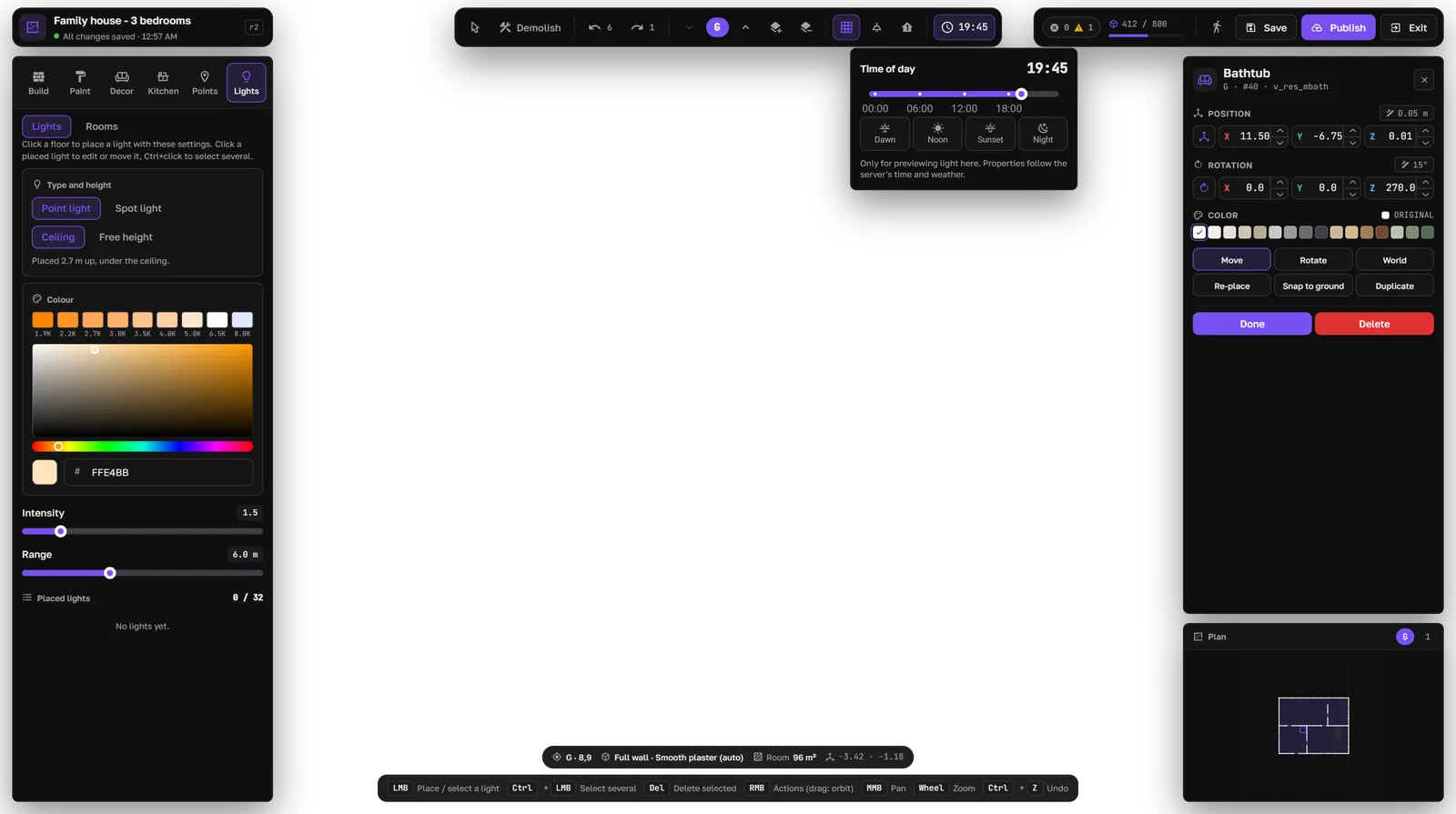
The builder
The builder runs in an empty area of the map. Its tabs:
Use the level buttons to move between storeys. Changes save automatically as a draft. Undo and redo work for every change.
Publishing
- 1
- 2
- 3
Publish
The shell appears in property creation in the Shell Creator pack. When you publish an update, properties using the shell get the new layout the next time someone enters.
Limits such as grid size, levels, and props per shell are in config.lua. See Configure → Shell Creator.