🗺️ Zones and utilities
Every GTA map zone can have its own property price and utility prices. Open the Zone Editor with /zonemap, or from /properties.
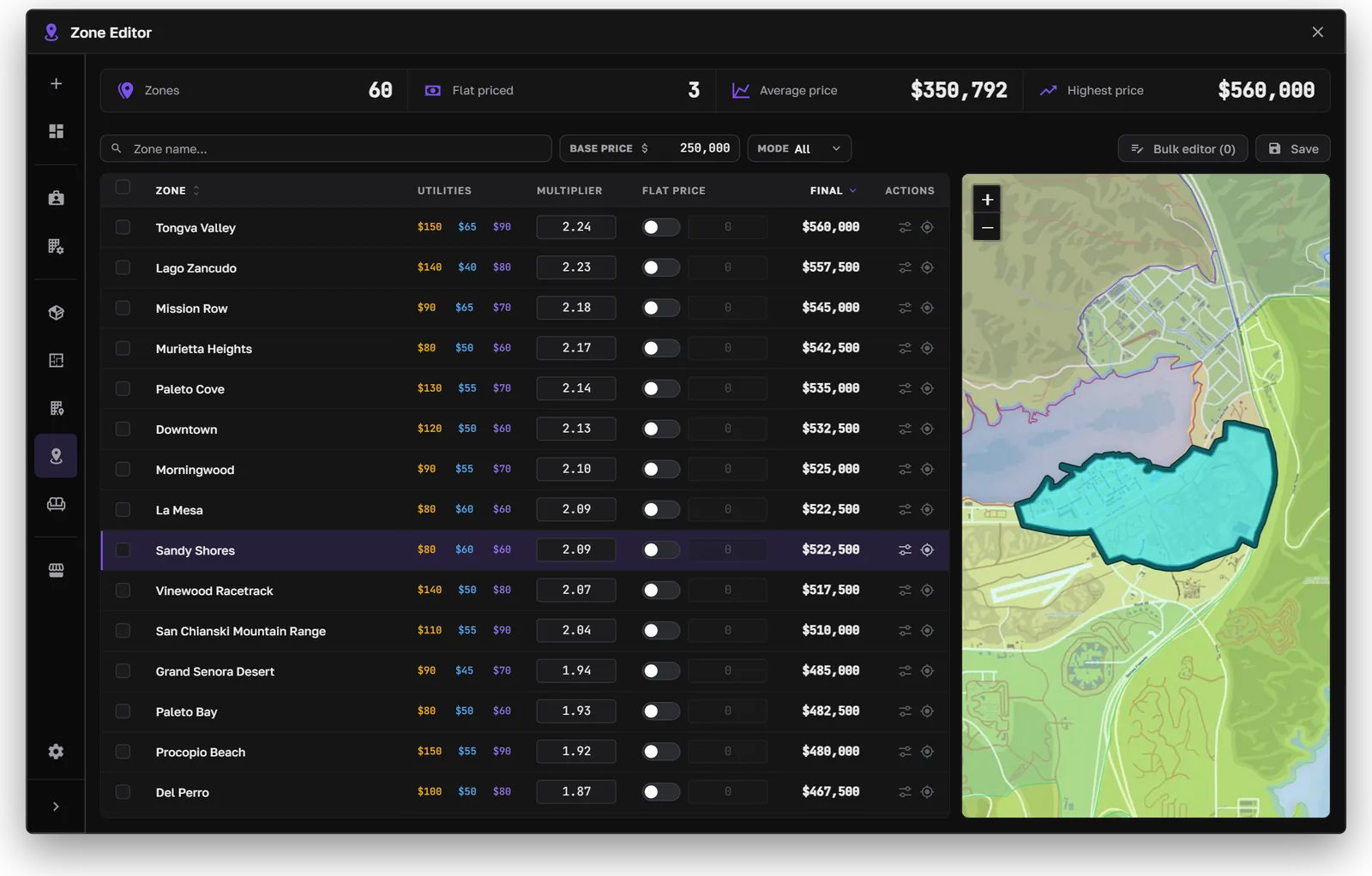
The Zone Editor
Zone prices
The editor lists every zone with its utility prices, price multiplier, optional flat price, and final price. The map shows the selected zone.
- Base price: the starting price that zone multipliers apply to.
- Multiplier: the zone's final price is the base price times the multiplier.
- Flat price: turn it on to use a fixed price for that zone instead.
- Bulk editor: select several zones and change them together.
The zone multiplier is also used for the creation cost.
Use /getzone in-game to see which zone you're standing in.
Utilities
Each zone sets the electricity, water, and internet prices for the properties in it. Electricity and water have a flat price per billing cycle plus a price per unit used. Internet is a flat price.
Owners see their bills in the property's Utility Bills tab: the billing cycle, the next bill, the grace period, and the cut-off date. When a bill isn't paid in time, that service is cut off:
- No electricity: lights, cameras, and remote alerts stop.
- No internet: cameras and remote alerts stop.
The Utility efficiency upgrade lowers electricity and water use.
Billing cycle, grace period, and cut-off rules are in Settings → Utilities. Other resources can check whether a property's utilities are paid or cut off with exports. See Exports.