🎯 Exports and Usage
This document provides usage examples and descriptions for all available minigames in the TeamsGG Minigames script.
Important: All games follow a standardized export pattern. Individual game mechanics (speeds, sizes, timings) are configurable via the export. You can tweak the default config for each game in the config files.
Standard Export Parameters
Common parameters:
numberOfStages: Number of stages to complete (1-10 or more)instantFail: Whether certain failures instantly end the game (true/false)
Balance
Keep the needle balanced by pressing Q and E - don't let it fall into the red zones!
Export Usage:
lua-- Balance exports['tgg-minigames']:Balance({ greenSize = 35, -- Size of green (safe) zone as percentage (0-100) yellowSize = 35, -- Size of yellow (warning) zone as percentage (0-100) redSize = 30, -- Size of red (fail) zone as percentage (0-100) -- Note: greenSize + yellowSize + redSize must equal 100 driftForce = 35, -- Drift force intensity: lower = easier, higher = harder pushStrength = 55, -- Q/E key push strength: lower = less control, higher = more control gameTime = 20 -- Time in seconds to survive without hitting red zone })
Preview Image:

Circle Click
Press the shown key when the rotating segment enters the target zone!
Export Usage:
lua-- Circle Click exports['tgg-minigames']:CircleClick({ targetZoneSize = 50, -- Size of target zone in degrees segmentSpeed = 300, -- Rotation speed of segment (degrees per second) numberOfClicks = 10, -- Number of successful clicks required to win movingTarget = false, -- Whether the target zone moves (opposite direction of segment) changeDirectionChance = 100, -- Chance (0-100) to reverse segment direction after each click })
Preview Image:

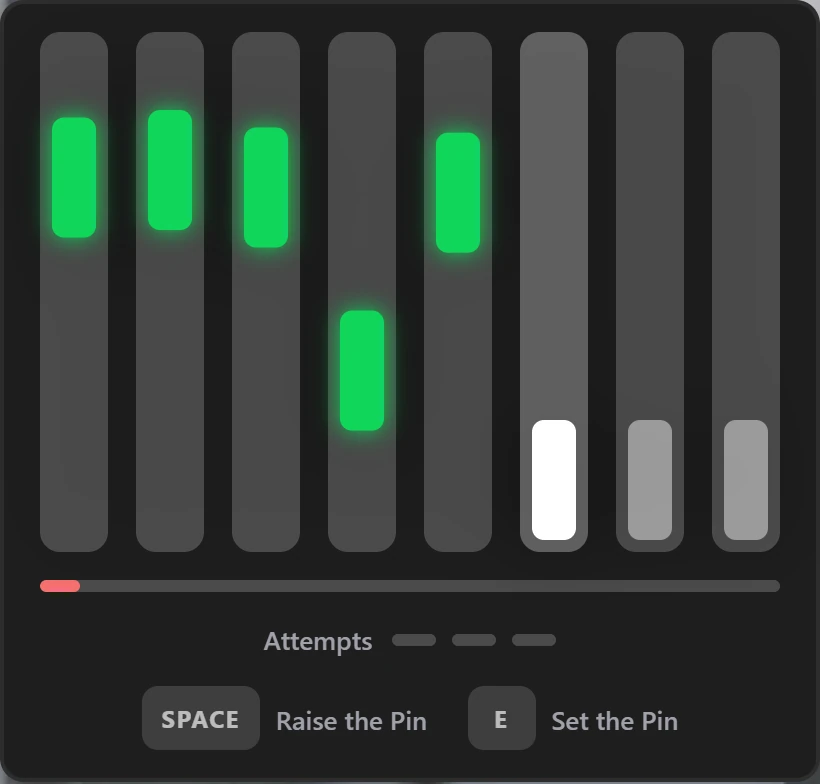
Lockpick
Simplified lockpicking - one circle, find the sweet spot by feeling the shake.
Export Usage:
lua-- Lockpick exports['tgg-minigames']:Lockpick({ slowMovementThreshold = 7, -- Max speed for slow movement detection (sections/second) sections = 36, -- Number of discrete positions around the circle lightShakeTolerance = 6, -- Distance for light shake (±sections from target) successZoneTolerance = 2 -- Distance for success and intense shake (±sections) })
Preview Image:

Masher
Key-spamming game - fill the circle by pressing the shown key as fast as possible!
Export Usage:
lua-- Masher exports['tgg-minigames']:Masher({ requiredPresses = 30, -- Number of key presses required to win timeLimit = 5 -- Time limit in seconds })
Preview Image:

Rhythm Click
A rhythm-based skill check game. Click circles in order AFTER they fully close.
Export Usage:
lua-- Rhythm Click exports['tgg-minigames']:RhythmClick({ numberOfCircles = 10, -- Total circles to click spawnInterval = 0.5, -- Seconds between spawning circles perfectClickWindow = 0.4, -- Seconds window after close to click startDelay = 0.5 -- Adds delay before the game starts })
Preview Image:

Slider
Precision timing game - click when the correct number passes through the center point!
Export Usage:
lua-- Slider exports['tgg-minigames']:Slider({ numberOfNumbers = 10, -- Total numbers in the sequence pointWidth = 8, -- Width of center point (affects hit zone difficulty) scrollSpeed = 7, -- Speed of scrolling numbers (higher = faster) numberSpacing = 5, -- Space between numbers (affects spawn timing) minimalMode = true -- Hide container background and border })
Preview Image:

Skill Bar
A timing-based skill check game where you click when a moving segment reaches the target zone.
Export Usage:
lua-- Skill Bar exports['tgg-minigames']:SkillBar({ segmentSpeed = 90, -- Speed of moving segment (percentage per second) targetZoneSize = 5, -- Size of target zone (percentage of bar width) hitsRequired = 10, -- Number of successful hits to complete the game minimalMode = true -- Hide container background and border })
Preview Image:

Circle Zones
A timing-based skill check game where you click when a moving segment reaches the target zone.
Export Usage:
lua-- Circle Zones exports['tgg-minigames']:CircleZones({ rotationTime = 25, -- Time for full rotation in seconds minTargetSize = 3, -- Minimum target zone size in degrees maxTargetSize = 10, -- Maximum target zone size in degrees numberOfTargets = 15, -- Number of target zones (max 25) penaltyPercent = 5, -- Percentage to move back on wrong click (0-100) })
Preview Image:

Progress Timing
Precision timing game - hit points as the progress bar passes through them. Perfect timing required!
Export Usage:
lua-- Progress Timing exports['tgg-minigames']:ProgressTiming({ numberOfPoints = 8, -- Total points to hit progressDuration = 5, -- Seconds for progress bar to fill minimalMode = true, -- Hide container background and border startDelay = 0.5 -- Adds delay before the game starts })
Preview Image:

Arrows
Fast-paced directional memory game - press arrow keys or WASD matching the bubble directions from left to right!
Export Usage:
lua-- Arrows exports['tgg-minigames']:Arrows({ numberOfArrows = 14, -- Total arrows to click timeLimit = 6, -- Seconds to complete all arrows minimalMode = true -- Hide container background and border })
Preview Image:

Pitch Lock
An auditory memory match game. Listen to a randomly generated target tone, remember its pitch, then drag up/down to recreate that exact frequency by ear.
Export Usage:
lua-- Pitch Lock exports['tgg-minigames']:PitchLock({ numberOfStages = 3, -- Total stages to complete minFrequency = 100, -- Minimum frequency in Hz maxFrequency = 2000, -- Maximum frequency in Hz listenDuration = 1500, -- Target tone play time in ms timePerStage = 12000, -- Total time per stage in ms maxScorePerStage = 10, -- Maximum score per stage passingMarginPercent = 20, -- Percentage off maximum possible score allowed to still pass (e.g. 20 means you can lose up to 20% points) maxCentsOff = 200, -- Room for error in musical pitch (Cents). E.g. 200 = 2 semitones. A guess further than this scores 0 points. Increase to make the game more forgiving. })
Preview Image:

Chroma Lock
A visual memory match game. Look at the generated target color, then use the sliders to recreate that exact color by eye.
Export Usage:
lua-- Chroma Lock exports['tgg-minigames']:ChromaLock({ numberOfStages = 3, -- Total stages to complete viewDuration = 5000, -- Target color display time in ms timePerStage = 25000, -- Total time per stage in ms maxScorePerStage = 10, -- Maximum score per stage passingMarginPercent = 20, -- Percentage off maximum possible score allowed to still pass (e.g. 20 means you can lose up to 20% points) })
Preview Image:

Reach
A maze navigation game where you must guide a circle through a maze with limited visibility, avoiding walls while racing against time.
Export Usage:
lua-- Reach exports['tgg-minigames']:Reach({ numberOfStages = 3, -- Total stages to complete instantFail = false, -- Fail on wrong answer gridSize = 15, -- Grid size circleRadius = 10, -- Player circle radius revealRadius = 3.5, -- Visibility reveal radius timeLimit = 60, -- Time per stage in seconds penaltySeconds = 4, -- Time penalty for touching a wall multipleStartEndPositions = true, -- Allow multiple start/end positions (true - uses the 4 corners, false - uses the top-left and bottom-right corners) })
Preview Image:

Cut It
Move slowly with a tool to reveal marked cables, then cut them carefully.
Export Usage:
lua-- CutIt exports['tgg-minigames']:CutIt({ numberOfStages = 3, -- Total stages to complete numberOfCables = 10, -- Total cables cablesToCut = 3, -- Cables to cut per stage cablesToCutVariation = 1, -- Variation in the number of cables to cut (+/- X) revealAreaSize = 60, -- Size of reveal area timePerStage = 45, -- Time per stage in seconds maxRevealSpeed = 300, -- Maximum reveal speed })
Preview Image:

Pairs
A memory game where you must find matching pairs icons by flipping cards and remembering their positions.
Export Usage:
lua-- Pairs exports['tgg-minigames']:Pairs({ numberOfStages = 3, -- Total stages to complete gridSize = 4, -- Grid size stageTime = 60, -- Time per stage in seconds })
Preview Image:

Locked
Rotate through concentric circles to find and align specific sections.
Export Usage:
lua-- Locked exports['tgg-minigames']:Locked({ numberOfStages = 2, -- Total stages to complete instantFail = false, -- Fail on wrong answer timeLimit = 40, -- Time per stage in seconds slowMovementThreshold = 7, -- Threshold for slow movement penaltySeconds = 3, -- Time penalty for wrong answer })
Preview Image:

Aim It
Click targets that appear randomly on screen. Hit all targets before time runs out.
Export Usage:
lua-- AimIt exports['tgg-minigames']:AimIt({ numberOfStages = 2, -- Total stages to complete instantFail = true, -- Fail on missed target targetsCount = 8, -- Targets per stage targetSize = 85, -- Target diameter in pixels stageTimer = 6, -- Time per stage in seconds penaltySeconds = 0.25, -- Penalty time per miss })
Preview Image:

Match It
Rotate 4-color circle with arrow or A/D keys. Match incoming tile colors to destroy them all.
Export Usage:
lua-- MatchIt exports['tgg-minigames']:MatchIt({ numberOfStages = 3, -- Total stages to complete tilesCount = 10, -- Tiles to match per stage tileSpeed = 2, -- Tile speed in pixels per second tileSpawnInterval = 3, -- Seconds between tile spawns })
Preview Image:

Destroy Links
Hit correct keys to destroy blocks with matching marks. Match left or right directions.
Export Usage:
lua-- DestroyLinks exports['tgg-minigames']:DestroyLinks({ numberOfStages = 3, -- Total stages to complete instantFail = false, -- Fail on wrong selection timeLimit = 8, -- Time per stage in seconds targetBlocks = 30, -- Blocks to destroy per stage penaltySeconds = 1, -- Time penalty for wrong selection })
Preview Image:

Get It
Control the snake with arrow keys or WASD. Collect food to grow and reach the target.
Export Usage:
lua-- GetIt exports['tgg-minigames']:GetIt({ numberOfStages = 3, -- Total stages to complete speed = 120, -- Snake speed in ms (lower = faster) foodTarget = 12, -- Food items to collect per stage })
Preview Image:

In Time
Press keys to destroy falling blocks with matching letters or numbers. Hit the correct key quickly.
Export Usage:
lua-- InTime exports['tgg-minigames']:InTime({ numberOfStages = 3, -- Total stages to complete blocksPerStage = 25, -- Blocks to destroy per stage spawnFrequency = 3, -- Spawn frequency (1=slow, 5=fast) fallSpeed = 1.75, -- Block fall speed useLetters = true, -- Enable letter keys useNumbers = true, -- Enable number keys })
Preview Image:

2047+1
Move tiles with arrow keys. Same numbers merge and double when they touch. Reach the set target..
Export Usage:
lua-- Game20471 exports['tgg-minigames']:Game20471({ numberOfStages = 3, -- Total stages to complete targetNumber = 128, -- Target value to reach stageTimer = 90, -- Time per stage in seconds fourProbability = 0.15 -- % chance of spawning 4 instead of 2 })
Preview Image:

Typix
Guess 5-letter words in 6 tries. Color feedback shows correct letters and positions.
Export Usage:
lua-- Typix exports['tgg-minigames']:Typix({ numberOfStages = 3, -- Total stages to complete timeLimit = 240, -- Time per stage in seconds wordLists = { variety = false, -- Use variety word list (too hard to guess - don't recommend using it) animals = false, -- Use animals word list food = false, -- Use food word list tech = false, -- Use tech word list cities = true, -- Use cities word list countries = false, -- Use countries word list math = false, -- Use math word list tools = false, -- Use tools word list nsfw = false, -- Use NSFW word list }, })
Preview Image:

Math
Compare two math expressions and choose greater, less, or equal. Calculate fast and in time.
Export Usage:
lua-- Math exports['tgg-minigames']:Math({ numberOfStages = 3, -- Total stages to complete instantFail = false, -- Fail on wrong answer timeLimit = 20, -- Time per stage in seconds expressionsPerRound = 5, -- Expressions per round allowedOperators = { '+', '-', '*', '/' }, -- Allowed operators for the expressions minResult = 2, -- Minimum expression result maxResult = 25, -- Maximum expression result maxDifference = 5, -- Max difference between expressions penaltySeconds = 3, -- Time penalty for wrong answer })
Preview Image:

Echo
Memorize the number of the colored boxes then answer how many were shown from a specific color.
Export Usage:
lua-- Echo exports['tgg-minigames']:Echo({ numberOfStages = 3, -- Total stages to complete gridSize = 8, -- Grid size timePerStage = 12, -- Time per stage in seconds colorRanges = { red = { min = 2, max = 5 }, -- Minimum and maximum number of red boxes green = { min = 2, max = 5 }, -- Minimum and maximum number of green boxes blue = { min = 2, max = 5 }, -- Minimum and maximum number of blue boxes yellow = { min = 2, max = 5 }, -- Minimum and maximum number of yellow boxes }, })
Preview Image:

Sequence
Find the symbol sequences shown above in the grid below. Use arrow keys to select the patterns.
Export Usage:
lua-- Sequence exports['tgg-minigames']:Sequence({ numberOfStages = 3, -- Total stages to complete instantFail = false, -- Fail on wrong answer timeLimit = 30, -- Time per stage in seconds penaltySeconds = 2, -- Time penalty for wrong answer sequenceLength = 4, -- Symbols in sequence scrambleCount = 2, -- Grid scrambles during stage enabledSymbolSets = { shapeSide = true, -- Shape side symbols dot2x3 = true, -- Dot 2x3 symbols dot2x4 = true, -- Dot 2x4 symbols dominoV = true, -- Domino vertical symbols dominoH = true, -- Domino horizontal symbols arrows = true, -- Arrows symbols letters = true, -- Letters symbols numbers = true, -- Numbers symbols }, })
Preview Image:

Dash
Move the arrow left and right to pass through openings in falling lines.
Export Usage:
lua-- Dash exports['tgg-minigames']:Dash({ numberOfStages = 3, -- Total stages to complete lineSpeed = 0.5, -- Speed of falling lines openingSize = 30, -- Size of opening to pass through movementSpeed = 0.5, -- Player movement speed linesRequired = 25, -- Lines to pass through per stage lineSpawnDelay = 500, -- Delay between line spawns in ms (Also space between lines) })
Preview Image:

Flappy
Click or press Space to make arrow fly up. Navigate through line gaps without hitting them.
Export Usage:
lua-- Flappy exports['tgg-minigames']:Flappy({ numberOfStages = 3, -- Total stages to complete jumpPower = 0.8, -- Jump power multiplier fallSpeed = 0.025, -- Fall speed per frame scrollSpeed = 0.5, -- Pipe scroll speed openingSize = 120, -- Opening size between pipes pipeSpacing = 350, -- Distance between pipes pipesRequired = 8, -- Pipes to pass through per stage })
Preview Image:

To The Sky
Jump up the platforms using left and right arrow keys. Reach the top without falling.
Export Usage:
lua-- ToTheSky exports['tgg-minigames']:ToTheSky({ numberOfStages = 3, -- Total stages to complete maxGeneratedTiles = 100, -- Max platforms to generate moveSpeed = 1.6, -- Player movement speed platformWidth = 60, -- Platform width gravity = 0.12, -- Gravity strength (higher = faster fall) })
Preview Image:

Pathing
Click the next closest dot to connect them. Follow the path without crossing.
Export Usage:
lua-- Pathing exports['tgg-minigames']:Pathing({ numberOfStages = 3, -- Total stages to complete numberOfDots = 8, -- Dots to connect per stage timeLimit = 12, -- Time per stage in seconds })
Preview Image:

A Mess
Drag dots to untangle crossed lines. Move dots around until no lines intersect.
Export Usage:
lua-- AMess exports['tgg-minigames']:AMess({ numberOfStages = 3, -- Total stages to complete numberOfDots = 8, -- Number of dots in puzzle minCrossingLines = 4, -- Minimum line crossings to reach timeLimit = 60, -- Time per stage in seconds })
Preview Image:

Mines
Memorize mine locations during preview then click to find them all before time runs out
Export Usage:
lua-- Mines exports['tgg-minigames']:Mines({ numberOfStages = 3, -- Total stages to complete gridSize = 5, -- Grid size minesCount = 5, -- Mines to remember previewTime = 4, -- Preview time in seconds stageTime = 12, -- Time to find mines in seconds maxFails = 2, -- Maximum wrong clicks allowed })
Preview Image:

On The Dot
Click to open deflectors. Match the falling balls to the colored deflector balls.
Export Usage:
lua-- OnTheDot exports['tgg-minigames']:OnTheDot({ numberOfStages = 3, -- Total stages to complete ballSpeed = 1.5, -- Ball fall speed ballSpacing = 50, -- Distance between balls deflectorSpeed = 8, -- Deflector movement speed ballsPerStage = 25, -- Balls to catch per stage })
Preview Image:

Crack It
Guess the PIN code using color feedback. Green means correct, yellow means wrong position.
Export Usage:
lua-- CrackIt exports['tgg-minigames']:CrackIt({ numberOfStages = 3, -- Total stages to complete pinSize = 4, -- PIN length timePerStage = 45, -- Time per stage in seconds })
Preview Image:

Tower of Hanoi
Move all disks from the first tower to the last tower. Only smaller disks can go on larger ones.
Export Usage:
lua-- TowerOfHanoi exports['tgg-minigames']:TowerOfHanoi({ numberOfStages = 3, -- Total stages to complete numberOfDisks = 3, -- Disks to move timePerStage = 120, -- Time per stage in seconds })
Preview Image:

Sequence Memory
Watch boxes light up in sequence then click them back in the same order to advance.
Export Usage:
lua-- SequenceMemory exports['tgg-minigames']:SequenceMemory({ numberOfStages = 3, -- Total stages to complete maxBoxesPerStage = 6, -- Max boxes to remember revealTime = 400, -- Reveal time per box in ms gridSize = 4, -- Grid size timePerStage = 60, -- Time per stage in seconds })
Preview Image:

I've Seen It
See words appear and choose if you have seen each word before or if it is completely new.
Export Usage:
lua-- IveSeenIt exports['tgg-minigames']:IveSeenIt({ numberOfStages = 3, -- Total stages to complete wordsPerStage = 20, -- Words per stage timePerStage = 18, -- Time per stage in seconds repeatWordChance = 50 -- Chance of word repeat percentage })
Preview Image:

Numbers
Click numbers from 1 to the biggest in order on scrambled grid. Click the next number before time runs out.
Export Usage:
lua-- Numbers exports['tgg-minigames']:Numbers({ numberOfStages = 3, -- Total stages to complete instantFail = true, -- Fail on wrong number gridSize = 4, -- Grid size timePerStage = 30, -- Time per stage in seconds scrambleCount = 3, -- Grid scrambles during stage penaltySeconds = 3, -- Time penalty for wrong clicks })
Preview Image:

Unlocked
Description: Lock picking simulation where players manipulate tumblers and mechanisms to open various types of locks.
Export Usage:
lua-- Unlocked exports['tgg-minigames']:Unlocked({ numberOfStages = 3, -- Total stages to complete instantFail = false, -- Fail on wrong answer totalCircles = 4, -- Number of circles emptySpacePercentage = 30, -- Empty space percentage timerPerStage = 45, -- Time per stage in seconds penaltySeconds = 3, -- Time penalty for wrong answer })
Preview Image:

Stick It
Place all pins around a rotating circle without collision. Time your shots.
Export Usage:
lua-- StickIt exports['tgg-minigames']:StickIt({ numberOfStages = 3, -- Total stages to complete pinsToComplete = 8, -- Pins to place per stage rotationSpeed = 50, -- Circle rotation speed changeRotationChance = 50, -- % chance to change rotation direction })
Preview Image:

Breach Protocol
Select hex codes in matrix by alternating rows and columns. Follow the target sequence.
Export Usage:
lua-- BreachProtocol exports['tgg-minigames']:BreachProtocol({ numberOfStages = 3, -- Total stages to complete instantFail = false, -- Fail on wrong code matrixSize = 5, -- Matrix grid size sequenceLength = 4, -- Symbols to select per round timeLimit = 60, -- Time per stage in seconds penaltySeconds = 2, -- Time penalty for wrong code guideLines = 2, -- 1 = Horizontal, 2 = Vertical, 3 = Both })
Preview Image:

Data Stream
Click flowing data packets on network channels. Decrypt captured packets to progress.
Export Usage:
lua-- DataStream exports['tgg-minigames']:DataStream({ numberOfStages = 3, -- Total stages to complete instantFail = false, -- Fail on wrong answer packetSpeed = 0.8, -- Speed of moving packets targetPacketCount = 3, -- Packets to intercept per stage timeLimit = 75, -- Time per stage in seconds penaltySeconds = 3, -- Time penalty for wrong answer decryptionMethods = { mirrorCipher = true, -- Mirror cipher decryption mathematicalSubstitution = true, -- Mathematical substitution decryption caesarCipherShift = true, -- Caesar cipher shift decryption hexBinaryConversion = true, -- Hex to binary conversion morseCodeTranslation = true, -- Morse code translation dot2x4Symbols = true, -- Dot 2x4 symbols decryption shapesSideSymbols = true, -- Shapes side symbols decryption dominoVSymbols = true, -- Domino vertical symbols decryption }, })
Preview Image:

Electrical Box
Toggle switches to solve math equations, follow Simon sequences, or balance currents.
Export Usage:
lua-- ElectricalBox exports['tgg-minigames']:ElectricalBox({ numberOfStages = 3, -- Total stages to complete timePerStage = 20, -- Time per stage in seconds simonSequenceLength = 3, -- Simon Says sequence length toleranceMa = 5, -- Tolerance in milliamps puzzleTypes = { math = true, -- Enable math puzzles simon = true, -- Enable Simon Says puzzles current = true, -- Enable current flow puzzles }, operators = { multiply = true, -- Enable multiplication operator division = true, -- Enable division operator }, })
Preview Image:

Pipe Pressure
Rotate pipe pieces to create a flow path from start to end before time runs out.
Export Usage:
lua-- PipePressure exports['tgg-minigames']:PipePressure({ numberOfStages = 3, -- Total stages to complete gridSize = 6, -- Grid size flowSpeed = 80, -- Flow animation speed delayTime = 20, -- Time before flow starts in seconds fluidType = 'water', -- Fluid type (water or gas - changes the color) })
Preview Image:

Keys
Press keyboard keys in the correct order shown on screen. Follow the sequence to advance.
Export Usage:
lua-- Keys exports['tgg-minigames']:Keys({ numberOfStages = 3, -- Total stages to complete instantFail = true, -- Fail on wrong key useLetters = true, -- Enable letter keys useNumbers = true, -- Enable number keys timePerStage = 35, -- Time per stage in seconds numberOfKeys = 12, -- Keys to press per stage penaltySeconds = 3, -- Time penalty for mistakes })
Preview Image:

Fingerprint
Match fingerprint sections across 5 rows by rotating through options to complete it.
Export Usage:
lua-- Fingerprint exports['tgg-minigames']:Fingerprint({ numberOfStages = 3, -- Total stages to complete timePerStage = 60, -- Time per stage in seconds })
Preview Image:

Breaker
Move the paddle with arrow keys to bounce the ball and destroy blocks. Break all to advance.
Export Usage:
lua-- Breaker exports['tgg-minigames']:Breaker({ numberOfStages = 3, -- Total stages to complete blocksPerRow = 6, -- Blocks per row numberOfRows = 3, -- Number of rows explodingBlockPercent = 8, -- Exploding block spawn chance multiBallBlockPercent = 8, -- Multi-ball block spawn chance paddleExpandBlockPercent = 8, -- Paddle expand block spawn chance extraLifeBlockPercent = 5, -- Extra life block spawn chance doubleHitBlockPercent = 3, -- Double hit block spawn chance platformSpeed = 6, -- Paddle movement speed ballSpeed = 4, -- Ball movement speed defaultLives = 3, -- Starting lives paddleExpandDuration = 8, -- Duration of paddle expansion in seconds paddleExpandMultiplier = 1.3, -- Paddle size multiplier when expanded timeLimit = 180, -- Time per stage in seconds })
Preview Image:

Stage Sequencing
Stage Sequence lets you chain multiple games into a single staged flow. Each game runs as one stage, with seamless transitions and unified progress bars showing all stages; there is no limit on the number of games you can sequence together.
Each game is locked at 1 stage per. It does not matter if you use the export with or without "numberOfStages". It will be ignored.
Game = The export name of the game.
Each export above uses it.
You can directly copy the export config and use it here.
!!! Skill checks are NOT supported.
Export Usage:
luaexports['tgg-minigames']:StageSequence({ { game = 'Reach', config = { instantFail = false, -- Fail on wrong answer gridSize = 12, -- Grid size circleRadius = 10, -- Player circle radius revealRadius = 3.5, -- Visibility reveal radius timeLimit = 60, -- Time per stage in seconds penaltySeconds = 4, -- Time penalty for touching a wall multipleStartEndPositions = true, -- Allow multiple start/end positions (true - uses the 4 corners, false - uses the top-left and bottom-right corners) } }, { game = 'AimIt', config = { instantFail = true, -- Whether mistakes instantly fail the stage targetsCount = 8, -- Number of targets to hit per stage targetSize = 85, -- Size of targets in pixels stageTimer = 6, -- Time limit per stage in seconds penaltySeconds = 0.25, -- Seconds deducted per miss when penalty mode is enabled } }, { game = 'Dash', config = { lineSpeed = 0.5, -- Speed of falling lines openingSize = 30, -- Size of opening to pass through movementSpeed = 0.5, -- Player movement speed linesRequired = 6, -- Lines to pass through per stage lineSpawnDelay = 500, -- Delay between line spawns } }, })
Cancel Game
Cancel an active minigame and properly clean up the UI state.
Export Usage:
lua-- CancelGame local success = exports['tgg-minigames']:CancelGame() -- Returns: -- true - Game was successfully cancelled -- false - No active game to cancel or client not ready
Example:
lua-- Cancel an active game local cancelled = exports['tgg-minigames']:CancelGame() if cancelled then print("Game cancelled successfully") else print("No active game to cancel") end
Notes:
- This function will return
falseif there is no active game promise or if the client is not ready - When successful, it properly cleans up the game state, hides the UI, and resets NUI focus
- The game promise will be resolved with
falseto indicate cancellation