🛠️ Shell and IPL editors
Admins manage the shells and IPLs that property creation offers from /properties.
Shell pack editor
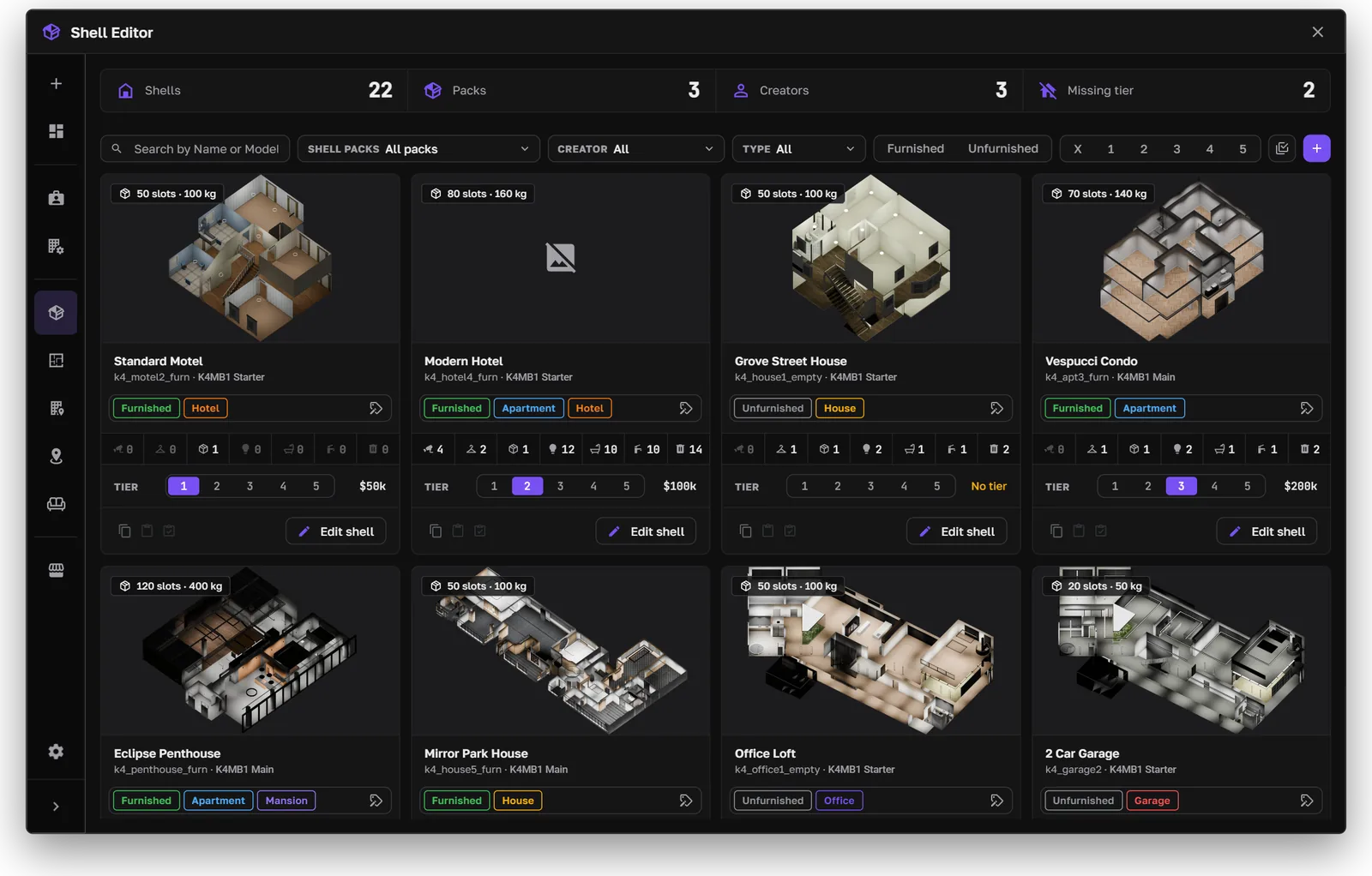
The shell pack editor
The shell pack editor lists the shells from every installed pack. Filter them by pack, furnished or unfurnished, and tier.
- Select several shells to set their tier, tags, and stash size together.
- Shell pricing tiers set the price of each tier, garages included.
- Z height can be set per shell. The default is
ShellZLevelinconfig.lua.
To add new packs, see Add More Shells.
IPL editor
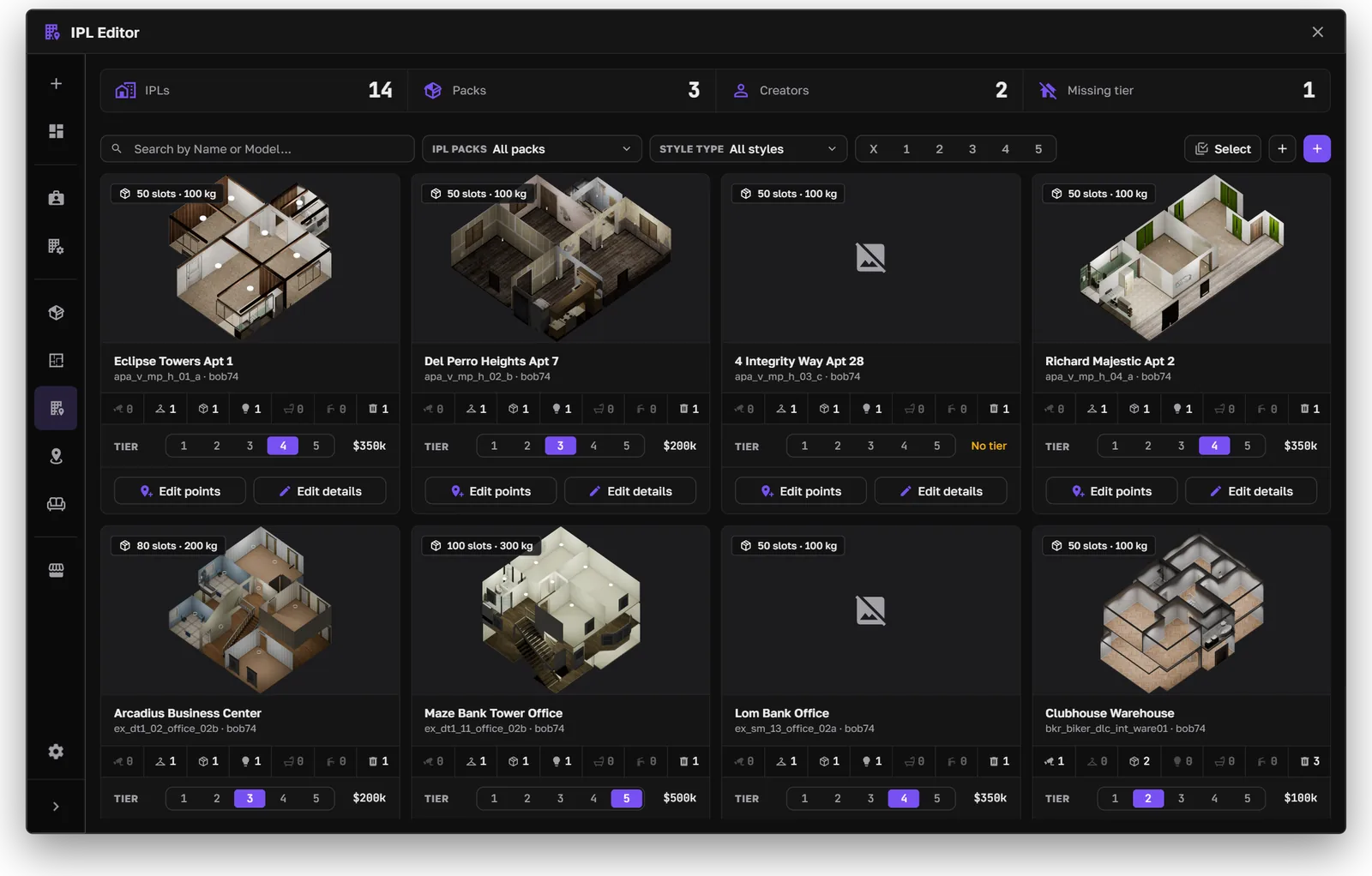
The IPL editor
The IPL editor creates and manages IPL packs: their inventory, tier, and points. Filter by tier and style, and select several to edit them together. New IPL properties take their default tier from the IPL pricing.
IPL style menu
Owners of IPL properties can change the style from the property menu: organization name, color, font, and theme. The price depends on what changed.
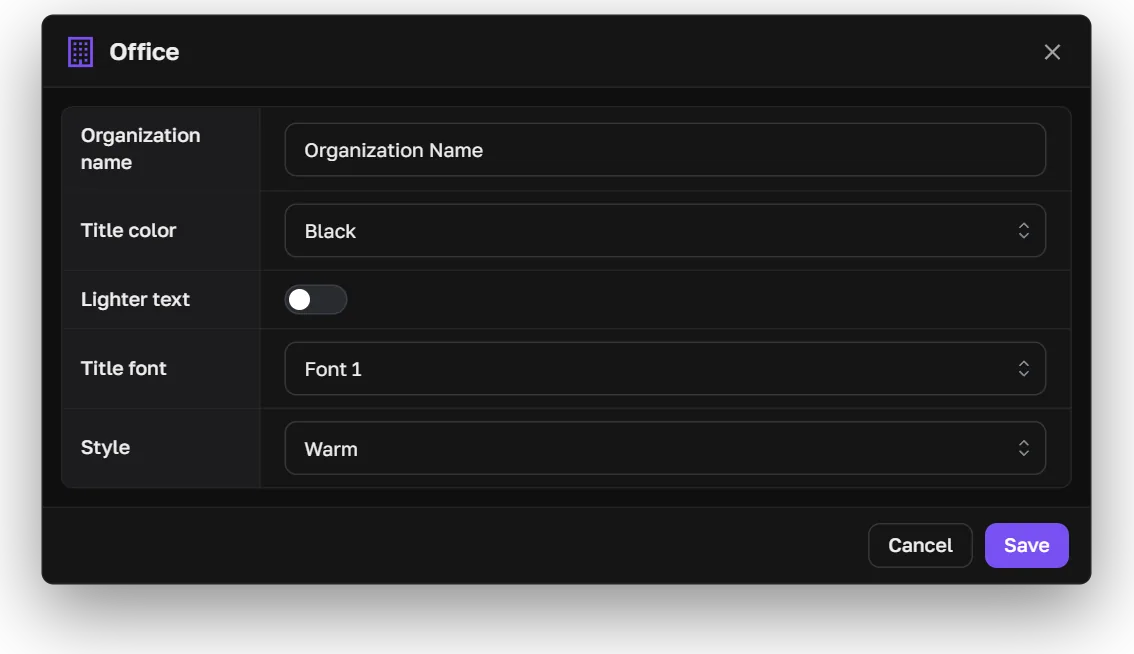
The IPL style menu