🏢 Facilities
A facility is one entrance with many units behind it, like a self-storage depot. Players walk up to the entrance and pick a unit from a list. The units have no doors of their own, so a facility needs one interaction point and one blip however many units it holds.
Creating a facility
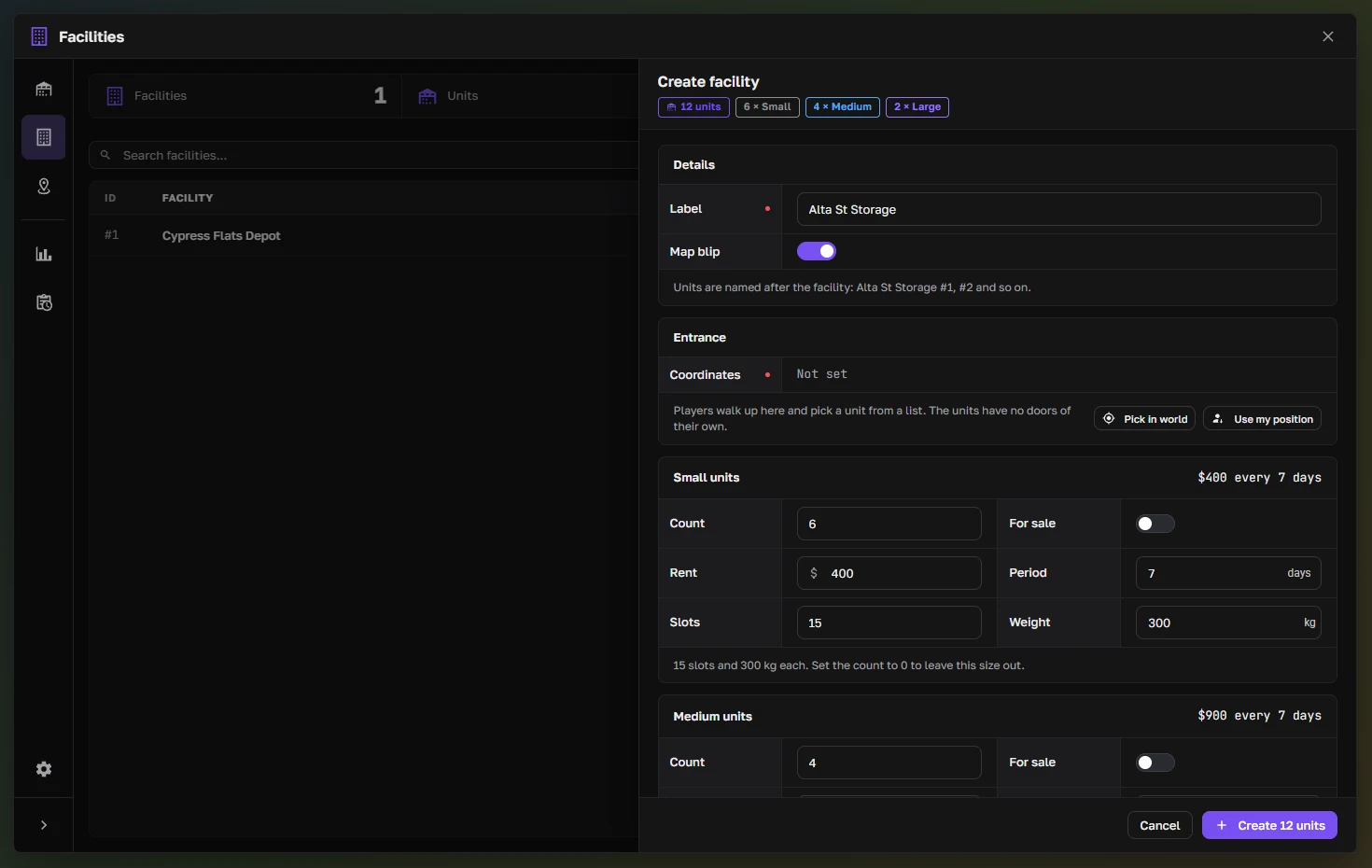
Creating a facility
- Open
/storagesand go to Facilities. - Press Create facility.
- Name it. Its units are named after it:
Cypress Flats Depot #1,#2and so on. - Set the entrance with Pick in world or Use my position.
- Set the Count of small, medium and large units: up to 50 of each and 100 in total. Leave a size at
0to skip it. - Change a size's rent, period, slots, weight or For sale if you like. Each size starts from Settings → Facility unit sizes.
- Press Create … units.
Every unit is an ordinary storage: it shows in the Storages table and can be edited, locked, bulk edited, auctioned and broken into like any other.
The default sizes:
Change them in Settings → Facility unit sizes, or unitSizes in config/shared.lua. Changing them only affects facilities you create afterwards.
Deleting a facility
Delete facility removes the facility and all its units. It is only possible while none of them is rented, sold or in an auction.
For players
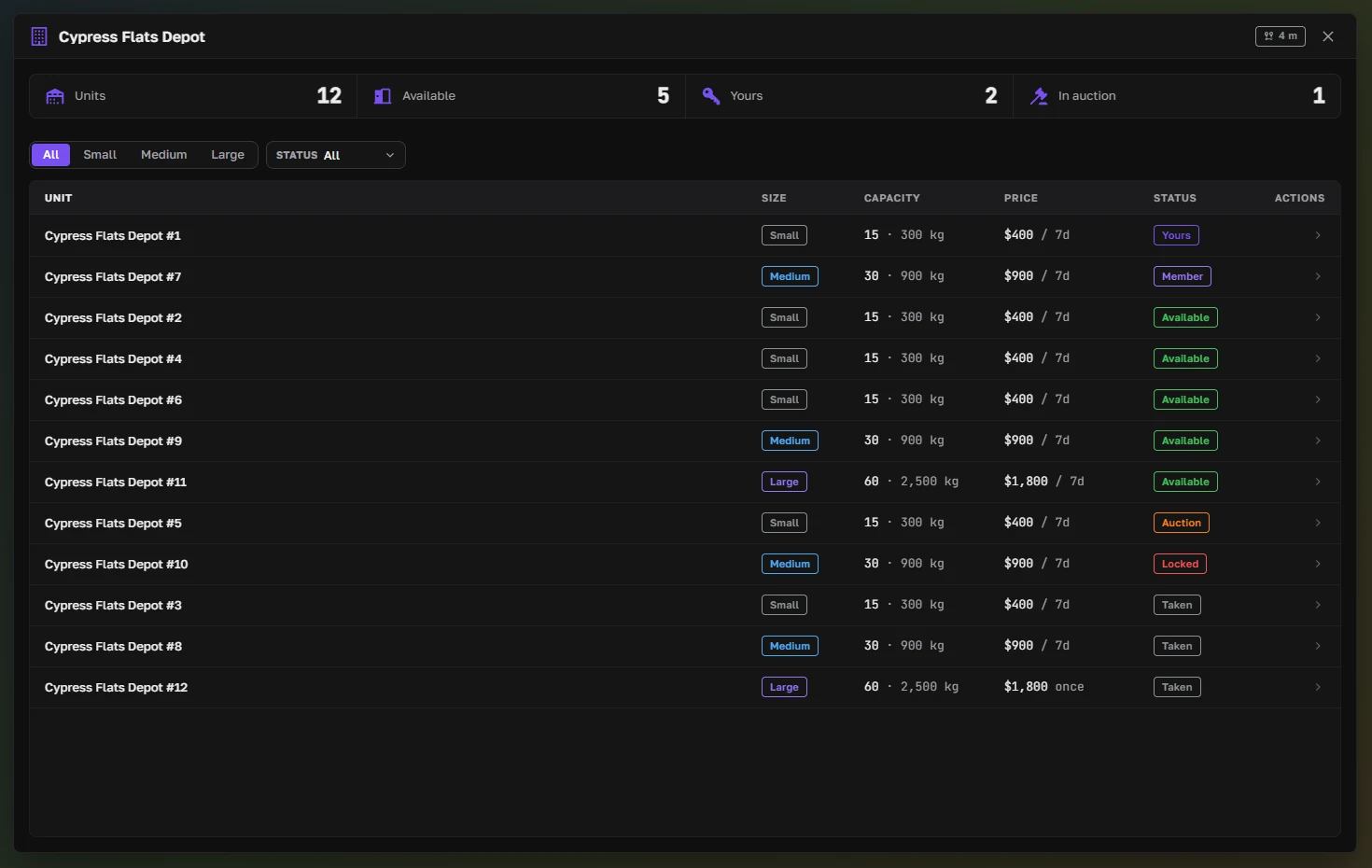
A facility's entrance
At the entrance, players see every unit with its size, capacity, price and status: Available, Taken, Yours, Member, Auction or Locked. Open this unit opens the same window as a single storage. See Renting, members and upgrades.
The facility blip is set in Settings → Map blips → Facilities.