📱 Phone app
The Storages app puts /mystorages on the player's phone. Players see their units and the auctions, pay rent, switch autopay, buy upgrades and bid without walking to the unit. It works with lb-phone and YSeries and needs no extra setup: start the phone and the app is added.
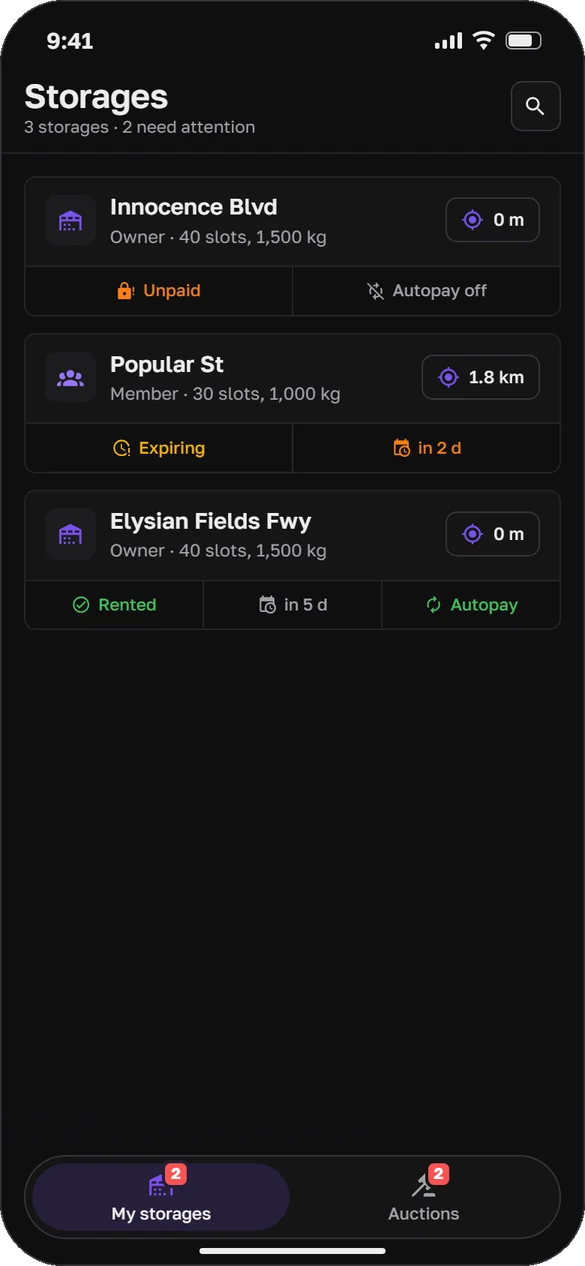
My storages
What players can do
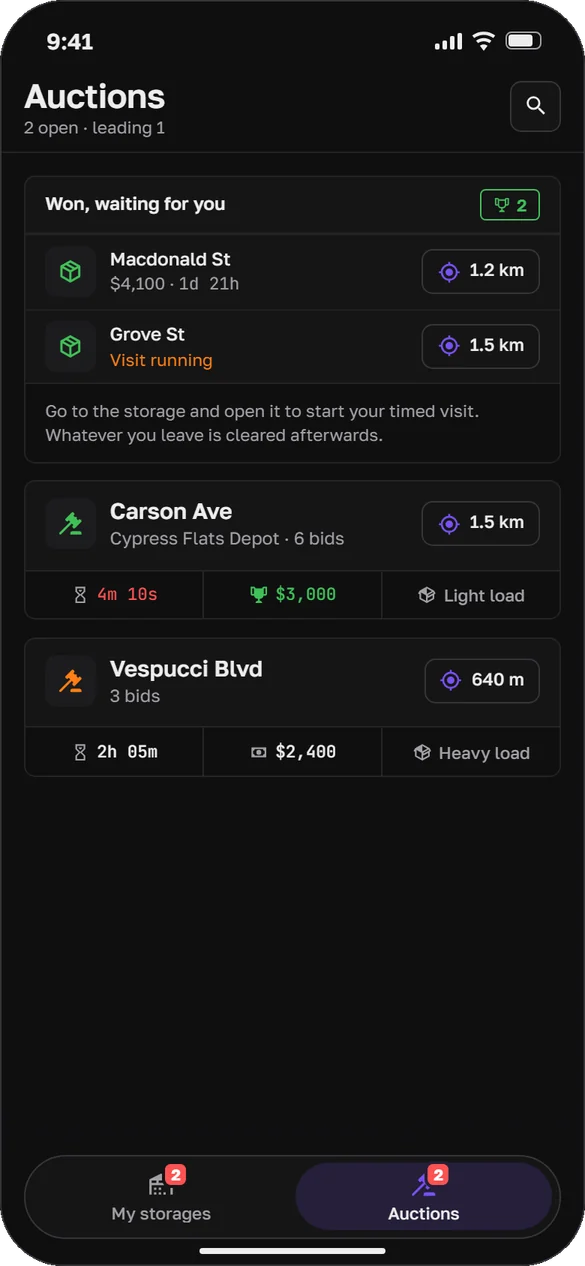
Auctions
Opening a unit shows the same things as the unit window:
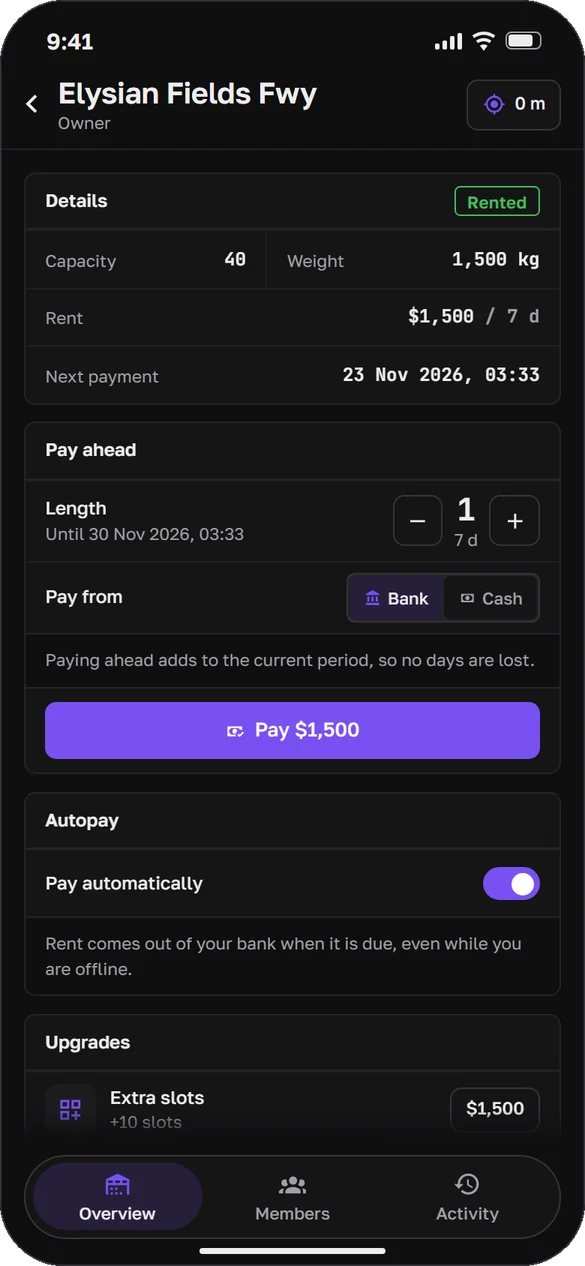
A unit
- Overview: details, Pay ahead (or Pay and unlock for an unpaid unit), the account to pay from, Pay automatically and upgrades.
- Members: who has access and their rights. Adding, changing and removing members happens at the unit.
- Activity: the unit's access log.
Each unit and auction shows how far away it is. Tap the distance to set a waypoint.
The app runs the same checks as the unit window, so a member only sees and does what their rights allow.
Notifications
Next to the usual in-game notification, players get a phone notification under the app's icon when:
- they are outbid;
- they win an auction;
- their unit goes up for auction;
- their rent runs out soon;
- autopay could not charge the rent;
- the alarm on their unit goes off.
Tapping one opens the app on the tab it is about. Turn them off with Settings → Interaction → Phone notifications.
Settings
In Settings → Interaction → Phone app, or phoneApp in config/client.lua. Changes made in game add, remove or rename the app on every phone straight away.
These are in config/client.lua only:
phone: with'auto'the app goes on lb-phone if it is started, otherwise YSeries.identifier: changing it adds the app as a new one, so players who installed it from the app store have to install it again.screenCorner: the app's bottom bar follows the curve of the phone's screen. Change it if your phone skin has rounder or squarer corners.
The app uses the colours from Settings → Appearance, like the other storage windows.