Active Players:99Active Servers:132

Live usage via 5metrics.dev.

Hud

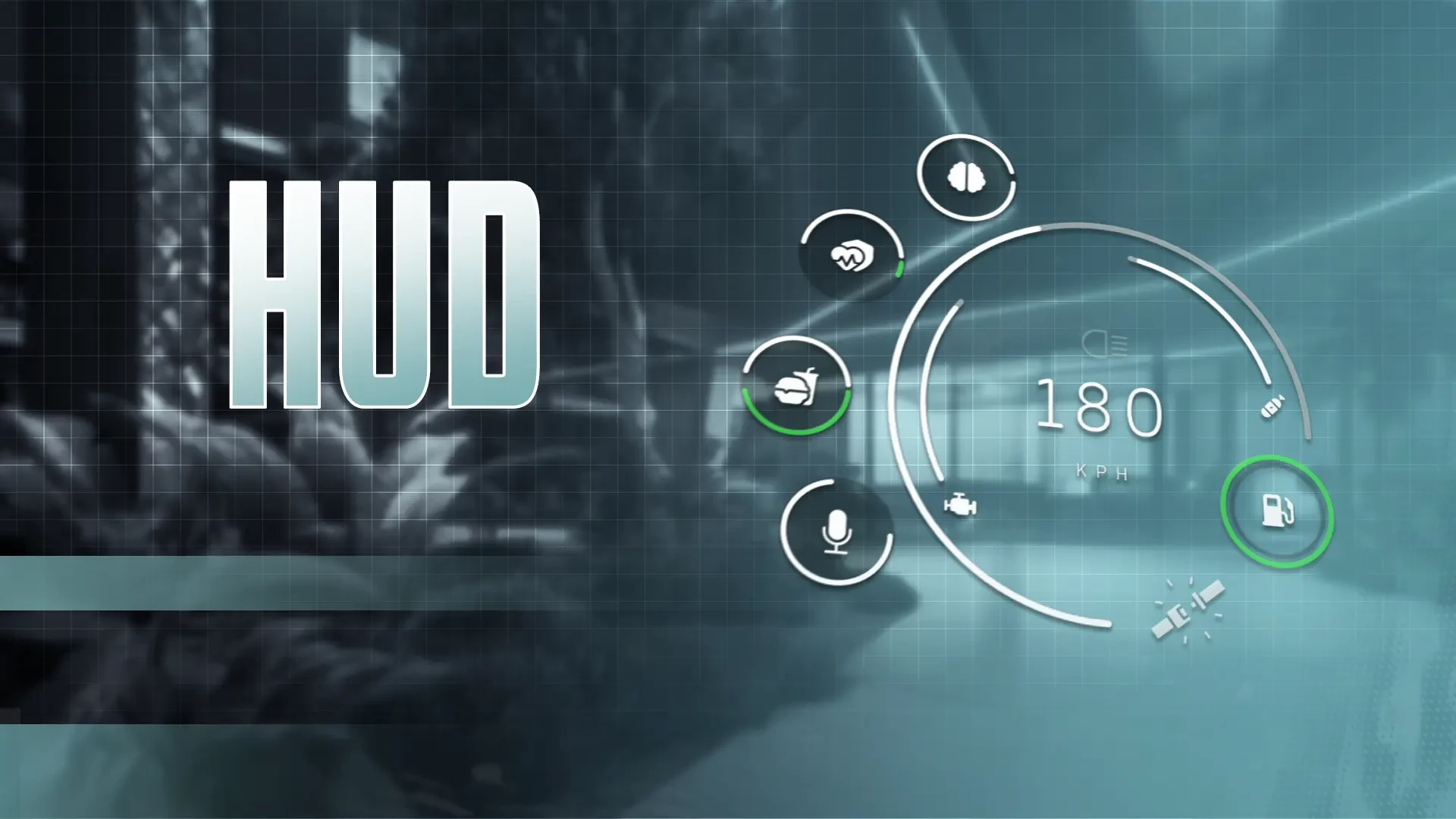
Everything You Need, On-Screen

  • Health/Armor, Hunger/Thirst, Stress, Stamina, Oxygen
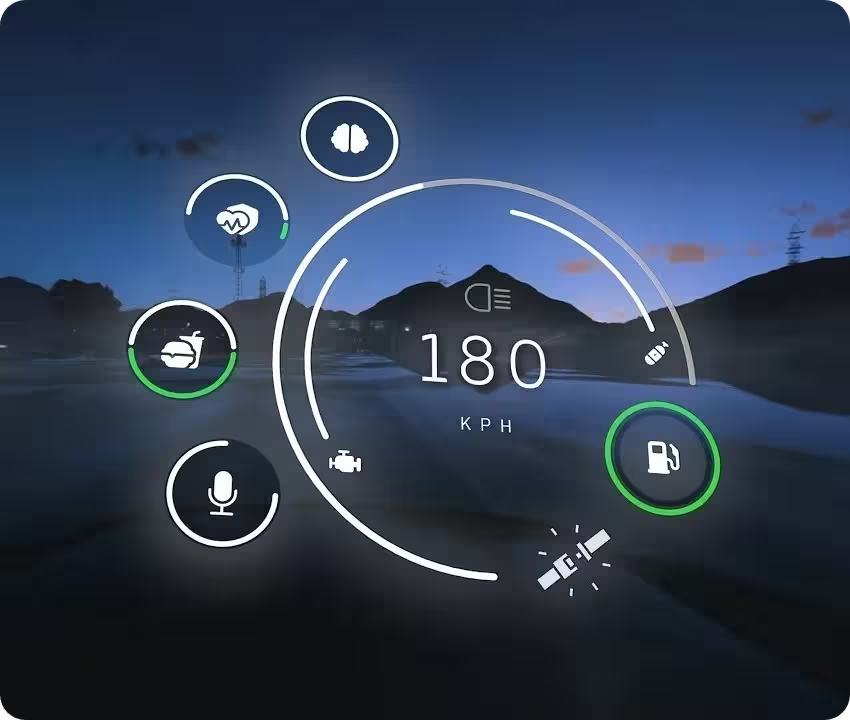
  • Engine Health, Fuel, Speed in KPH & MPH, Headlights, Belt, Nitro, Gears
  • Progress bars, Compass, Street names, Voice and Radio chat
  • Optimized for performance, stability, and reliability.
  • Fully functional, reliable, and server-ready

€19.99

Tax included
  • Standalone
  • QBox
  • QBCore
  • ESX
lifetime licenseInstant delivery
// Vitals

Smooth animation full of information

Stay updated with every detail.

  • Health + Armor

    Health + Armor

    Shows combined health and armor with smooth animations.

  • Hunger + Thirst

    Hunger + Thirst

    Tracks hunger and thirst with independent, fluid animations.

  • Voice + Radio

    Voice + Radio

    Switches visuals and colors based on voice or radio communication.

  • Stamina & Oxygen

    Stamina & Oxygen

    Tracks stamina and adjusts during physical activities; oxygen where applicable.

  • Stress

    Stress

    Tracks stress levels, reacting to in-game events for better immersion.

// Showcase

TGG HUD in motion

Player vitals, vehicle readouts, progress, compass, and branding-tuned for QB, QBX, and ESX-style servers.

Stay in control on the road
// Vehicle

Stay in control on the road

Everything you need to stay in control of your ride.

  • Engine healthMonitor the condition of your vehicle’s engine in real time.
  • FuelTrack fuel levels to avoid running out during critical moments.
  • Speed (KPH & MPH)Displays your speed with options for metric or imperial units.
  • HeadlightsIndicates if headlights or high beams are on for improved visibility.
  • Seat beltShows whether your seat belt is fastened for added safety.
  • NitroTrack nitro usage for those extra bursts of speed.
  • GearsDisplays the current gear of your vehicle for precise driving.
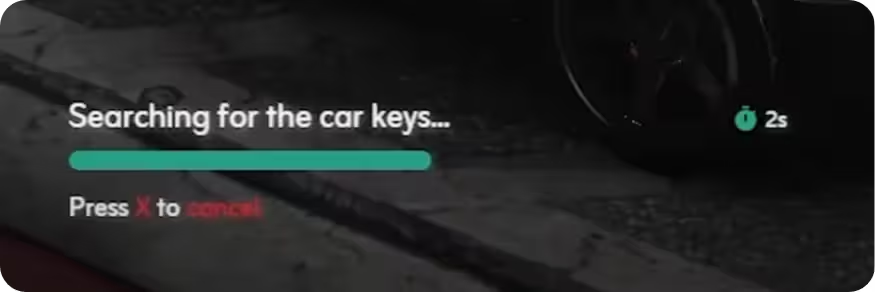
Interactive progress tracking
// Progress

Interactive progress tracking

Progress system that keeps players informed with a clear action title, a countdown timer, and a visual progress bar. Players can cancel actions instantly by pressing a designated key, adding flexibility and control to every interaction.

Direction and location display
// Navigation

Direction and location display

A clear compass and street name display that shows the player’s current direction and location. Stay oriented and aware of your surroundings, whether exploring or navigating the city.

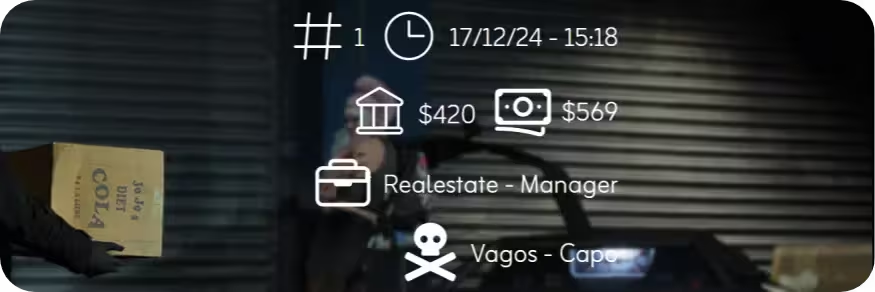
Player overview and more
// Identity

Player overview and more

Track cash, bank balance, job role, gang affiliation, time, date, and player ID in a clean, organized layout. Keep players informed with everything they need for smooth gameplay.

Your server, your brand
// Brand

Your server, your brand

Showcase your server’s logo directly on the HUD for a strong, recognizable presence. The logo integrates smoothly with the interface-visible without cluttering the screen.

// Settings

HUD settings made simple

Fine-tune your HUD for a better experience.

  • Speedometer mode

    Choose performance for better FPS or normal for fast updates.

  • Measurement system

    Switch between KPH and MPH for speed tracking.

  • Minimap type & shape

    Show minimap always or in vehicles only; choose circle or square.

  • Cinematic mode

    Adds black bars and hides HUD for a cinematic feel.

  • Scale

    Adjust HUD size to fit your screen.

  • Main color

    Customize the main HUD accent to your liking.

  • Move HUD elements

    Drag and position HUD elements while in settings.

  • Reset to default

    Restore all settings to their original defaults.

// Performance

Super optimized

Performance mode peak 0.01ms · Normal mode peak 0.03ms

  • Idle0.00-0.01ms
  • Opened0.01ms
  • Peak0.03ms
  • Memory0.4-0.5MiB

The showcase is framed for QB, QBX, and ESX-style servers-confirm your framework build against the live Tebex listing and docs.

Yes. Settings cover scale, main color, minimap behavior, speed units, cinematic mode, and draggable HUD elements, with a full reset option.

Engine health, fuel, speed in KPH or MPH, headlights, seat belt, nitro, and gear readouts are called out in the marketing flow.

Marketing cites roughly 0.00–0.01ms idle, 0.01ms performance-mode peak, 0.03ms normal-mode peak, and about 0.4–0.5MiB memory-validate on your hardware.

// Product

About this script

HUD that stays readable under pressure

TGG HUD bundles vitals, vehicle telemetry, progress actions, navigation, identity, and server branding into one cohesive surface so players aren’t hunting through disconnected widgets.

Performance and normal display modes, deep settings, and smooth motion keep the UI legible whether you prioritize FPS or rapid updates.

Protected via Tebex Asset Escrow